
In today’s fast-paced digital world, managing remote teams efficiently has become more critical than ever. With team members scattered across different time zones, staying on top of tasks, deadlines, and project updates can quickly become overwhelming. This is where remote task reviewer tools come into play. These tools are designed to simplify task tracking, improve accountability, and ensure that every project moves forward smoothly without the constant back-and-forth emails or confusing chat threads.
As we step into 2026, the landscape of remote work is evolving, and teams need smarter solutions to stay productive and connected. From AI-powered dashboards to intuitive project management platforms, the right tools can transform the way teams review and manage tasks. In this guide, we’ll explore the top remote task reviewer tools that every team should consider, helping businesses streamline workflows, boost collaboration, and achieve project goals faster than ever before.
Why General PM Tools Fail the Review Process
For years, teams have jury-rigged project management (PM) software like Trello or Asana for task review. While great for tracking a task, they often lack the specialized functionality required for high-fidelity feedback. The core failures include:
- Scattered Context: Feedback lives in separate places (Slack, email, PM comments), forcing reviewers to constantly switch context.
- Version Control Chaos: Reviewing V1 of a design while a team member is already working on V3 is a recipe for disaster.
- Lack of Visual Precision: Leaving feedback like “make the logo bigger” without being able to visually pinpoint the location wastes precious time.
- No Audit Trail: Proving who approved what, and when, becomes nearly impossible when communication is decentralized.
The tools of 2026 must solve for these friction points by providing dedicated, central review hubs. For those curious about remote evaluation roles that require similar attention to detail, check out the role of data labelling evaluators.
Non-Negotiable Features of a 2026 Task Reviewer Tool
To rank highly, a tool must offer functionality that directly enables high-quality asynchronous work. This table outlines the critical capabilities we used to assess the top contenders.
| Feature Category | Critical 2026 Capability | Why It Matters for Remote Teams |
| Visual Feedback | Pixel-Perfect Annotation | Allows reviewers to draw, pin comments, and highlight specific areas on images, videos, PDFs, and live websites, eliminating ambiguity. |
| Workflow Automation | Conditional Approval Gates | Automatically routes tasks to the next reviewer (e.g., “Only send to Legal once Marketing has approved”) to prevent bottlenecks and ensure compliance. |
| Asynchronicity | Time-Stamped Video/Audio Comments | Enables fast, natural feedback without the need for a live meeting, complete with auto-transcription for searchability. |
| Context & Integrations | Deep Source-File Linking | Maintains a direct link to the original file (in Figma, Google Drive, or GitHub), ensuring reviewers are always working on the latest version. |
| AI Augmentation | Feedback Summarization & Sentiment Analysis | Uses AI to group recurring comments, highlight conflicting feedback, and summarize long review threads for the creator. |
7 Dedicated Remote Task Reviewer Platforms
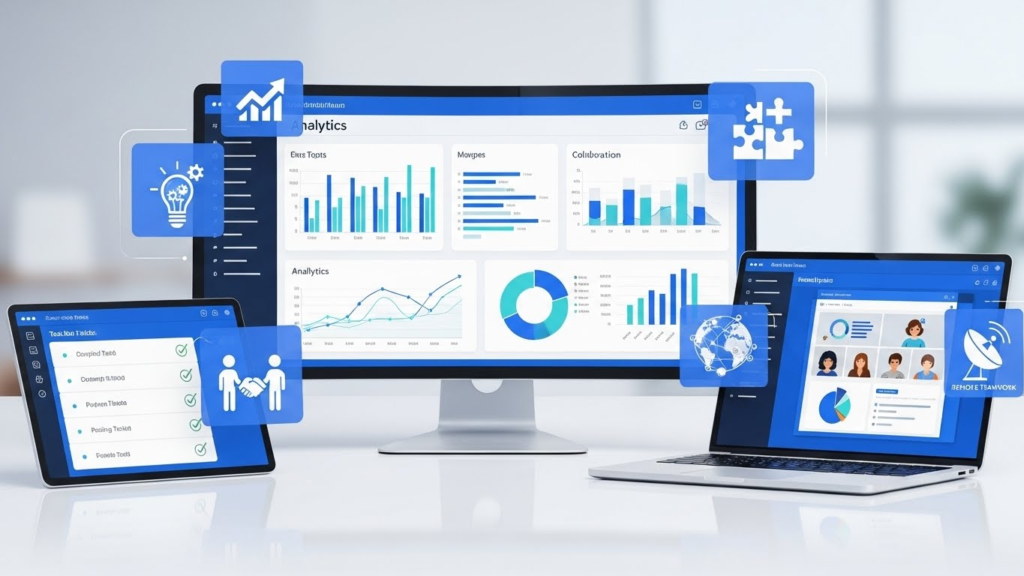
These platforms specialize in review and proofing, making them superior to general PM tools when feedback is the central workflow.
1. Frame.io
Frame.io, now heavily integrated with Adobe Creative Cloud, is the undisputed king for video and high-fidelity media review. Its core strength lies in its time-coded comments and ability to handle massive media files instantly.
- Key Features:
- Time-Coded Precision: Reviewers can place comments directly on the video timeline, which remain frame-accurate across devices.
- Secure Review Links: Watermarking and expiration dates ensure sensitive creative content is protected during external client review.
- Camera-to-Cloud: For production teams, this feature is revolutionary, allowing remote editors to start working on footage moments after it’s shot on set.
- Review and Presentation Links: Separate views for internal, detailed feedback and polished client-facing presentations.
- Best For: Film production, large marketing teams, agencies, and companies with heavy video and motion graphics needs.
2. ZipBoard
ZipBoard is designed as a collaborative layer over web content. It allows teams to review live websites, mockups, images, and SCORM content (e-learning).
- Key Features:
- Cross-Browser Testing: Reviewers can take a screenshot of a live URL and annotate it, effectively reporting bugs or required changes with full context.
- Consolidated Ticketing: Feedback automatically converts into actionable tasks, which can be sent directly to external tools like Jira or Trello.
- Visual Markups: Tools like crop, text, arrows, and pens enable extremely clear visual communication for design and development teams.
- Best For: Product teams, QA teams, web agencies, and e-learning content creators who need pixel-perfect feedback on digital interfaces.
3. ProofHub
ProofHub combines the core features of project management with dedicated proofing tools, making it a strong choice for teams looking for a single hub.
- Key Features:
- In-Place Annotation: Mark up documents, images, and designs using markup tools, then approve or suggest changes right on the file.
- Version History: Clear side-by-side comparison of different versions of a file to ensure changes were correctly implemented.
- Discussions and Chat: Centralized discussion threads attached to the proofing items keep all communication in one place, minimizing email clutter.
- Best For: Cross-functional teams (content, design, marketing) needing a streamlined process for reviewing a mix of documents and visuals.
4. Wrike
Wrike excels at complex, large-scale workflows often found in enterprise environments. Its strength lies in its ability to automate the routing of tasks for review.
- Key Features:
- Automated Proofing & Approval: Set up triggers that automatically move a task card from “In Review” to “Approved” and notify the next user, cutting down on manual hand-offs.
- Digital Asset Management (DAM) Integration: Seamlessly connect creative assets for review and approval directly within the task card.
- Customizable Forms: Use forms to collect necessary details and requirements before a task starts, ensuring the reviewer has all the context upfront.
- Best For: Large enterprises, highly regulated industries, and marketing teams managing dozens of parallel campaigns.
5. ClickUp
ClickUp’s strength is its unparalleled flexibility. While its review features can be built out using custom fields and views, its core document and whiteboard features are excellent for feedback.
- Key Features:
- ClickUp Docs & Whiteboards: Allows for real-time collaboration and annotation, making it excellent for reviewing strategic planning documents or mockups.
- Proofing and Annotations (Add-on): Lets users mark up images and documents directly on the task view.
- Automations: Create custom automations like “When task status changes to ‘Ready for Review,’ assign to [Manager] and set due date for 24 hours.”
- Best For: Highly flexible teams who need to tailor their task review process exactly to their specific needs.
6. Loom
Loom redefined asynchronous communication. Instead of typing out 500 words of feedback, reviewers record their screen and voice, providing context and tone that text lacks.
- Key Features:
- Auto-Transcription & Search: Every video is instantly transcribed, making it searchable. This allows creators to jump to specific points of feedback instantly.
- Reaction Emojis: Viewers can add time-stamped emoji reactions (like a thumbs up or a confused face) directly onto the video, providing immediate, lightweight feedback.
- CTAs & Links: Include direct links to the next step, such as “Click here to view the revised file on Figma.”
- Best For: Product managers, developers reviewing demos, and anyone giving detailed verbal explanations of changes.
7. Notion
While not a dedicated proofing tool, Notion’s strength lies in its collaborative document environment, which is excellent for long-form content review and approvals.
- Key Features:
- AI Summary and Action Items: Notion AI can instantly summarize long review threads and pull out a list of actionable to-dos, saving the creator hours of reading.
- Inline Commenting: Simple, clean, and intuitive inline commenting is perfect for content and knowledge base reviews.
- Databases for Status Tracking: Use a dedicated Notion database to track all review tasks with status columns (e.g., “Drafting,” “In Manager Review,” “Final Approval”).
- Best For: Content teams, internal documentation/HR review, and teams that operate primarily within the Notion ecosystem.
For those exploring remote evaluation jobs in 2026, check top companies hiring for digital evaluation work and step-by-step guide to quality rater jobs online.
Feature Deep Dive
| Tool Name | Primary Focus | Best Annotation Type | Advanced Workflow/AI | Pricing Starting At (Approx.) |
| Frame.io | Video/Media Production | Time-Coded/Drawing | Camera-to-Cloud, Watermarking | $15/User/Month |
| zipBoard | Web/UI/UX QA | Screenshot/Pixel-Pinning | Integrated Bug Ticketing | $39/Month (for 5 users) |
| ProofHub | All-in-One PM & Proofing | Image/PDF Markup, Side-by-Side | Version Comparison, Dedicated Chat | $45/Month (Flat Rate) |
| Wrike | Enterprise PM | General Document/Design Proofing | Conditional Approval Automation | $18/User/Month |
| Loom | Asynchronous Video | Time-Stamped Emojis/Comments | Auto-Transcription, Searchable | Free / $12.50/User/Month |
| Notion | Collaborative Docs | Inline Text Comments | AI Summaries & Action Item Extraction | Free / $8/User/Month |
Strategic Review Principles for 2026

Simply adopting a tool is not enough; a team must adopt the right principles. The best remote teams use their tools to enforce three core ideas:
- Enforce Asynchronicity: Use Loom instead of an unplanned Zoom meeting. Use a dedicated annotation tool instead of Slack DMs. The goal is to minimize interruptions and respect deep work time.
- Define the “Definition of Done” for Review: A task is not ready for review until all necessary context, files, and initial checks have been completed. The review tool must allow the creator to check off a pre-review checklist before the task can be formally submitted.
- The “Reviewer as a Client” Mindset: Reviewers must be trained to leave actionable feedback, not vague suggestions. The best tools facilitate this by requiring reviewers to use structured comment types (e.g., “Bug,” “Suggestion,” “Required Change”). This turns the review phase into a clear, measurable hand-off rather than a subjective discussion.
For a deeper understanding of remote online evaluator skills, see remote evaluator skills you need to get hired.
Selecting the Right Tool for Your Team

Choosing the right platform depends entirely on your team’s primary deliverable.
- Identify Your Deliverable Type:
- High-Volume Creative (Video/Design): You need time-coded precision (Frame.io, ProofHub).
- Software/Web Development (QA/UX): You need cross-browser testing and consolidated bug tracking (zipBoard, Wrike/Jira integration).
- Internal Strategy/Content (Documents/Wikis): You need strong collaborative editing and AI support (Notion, Google Docs, ClickUp Docs).
- Map the Hand-off: Who are the stakeholders? (Creator $\rightarrow$ Peer $\rightarrow$ Manager $\rightarrow$ Client). Does the tool support multi-stage, conditional approvals? If yes, look at Wrike or ProofHub.
- Evaluate Integration Depth: A task review tool should not replace your entire stack. It must integrate deeply with your communication (Slack), file storage (Drive/Dropbox), and core PM tools (Jira/Asana). The less context-switching required, the higher the ROI.
If you want guidance on building a flexible remote career, see remote online evaluator: build a flexible career helping improve online search results.
Conclusion
Choosing the right remote task reviewer tools can make a significant difference in how efficiently your team operates. By leveraging the platforms designed for seamless task tracking, real-time collaboration, and performance insights, teams can reduce bottlenecks, avoid miscommunication, and stay aligned on project goals. The tools we’ve highlighted not only simplify task management but also empower teams to work smarter, not harder, regardless of where they are located.
As remote work continues to grow in 2026 and beyond, investing in the right technology isn’t just a convenience it’s a necessity. The best tools adapt to your team’s unique workflow, enhance productivity, and foster collaboration across distances. By implementing these solutions, teams can focus more on delivering results, driving innovation, and maintaining a strong, connected work culture, no matter how geographically dispersed they may be.
FAQs
1.What is a remote task reviewer tool?
A remote task reviewer tool is software that helps teams monitor, evaluate, and manage tasks and projects from anywhere. It makes tracking progress, giving feedback, and ensuring accountability easier without requiring physical presence.
2.Why are remote task reviewer tools important for teams in 2026?
With remote and hybrid work becoming more common, these tools help teams stay productive, maintain transparency, and complete tasks on time. They also reduce miscommunication and simplify project tracking.
3.Which features should a good remote task reviewer tool have?
Look for task tracking, real-time collaboration, automated reminders, dashboards, reporting, and integration with other productivity software. Some tools even offer AI-powered suggestions to optimize workflows.
4.Are these tools suitable for teams of all sizes?
Yes, remote task reviewer tools are designed to scale. Whether it’s a small start up or a large enterprise, there are options that fit different team sizes and project complexities.
5.How do these tools help improve team accountability?
They give clear visibility into responsibilities, deadlines, and progress. This transparency encourages accountability, reduces delays, and makes it easier to solve bottlenecks quickly.
6.Are there AI-powered remote task reviewer tools in 2026?
Yes, some tools use AI to prioritize tasks, suggest workflow improvements, and provide predictive insights into project timelines, helping teams work more efficiently.
7.Can these tools integrate with other software?
Most modern tools can connect with project management platforms, communication apps, and productivity suites, creating a seamless workflow and centralized data for better collaboration.